Thursday, 4 December 2008

What's the TIME.....???

Updated Wall Clock


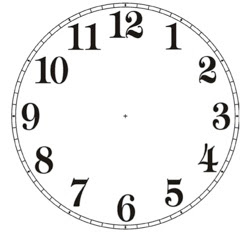
Here's the fully updated, wall clock re-modified from Dean's original clock. The first design was very old with outdated features such as pendulums, mahogany wood effect etc, that just didn't fit into our Tom & Jerry theme. So i got rid of the extra outer features & maintain it to a classic round shape.

The model was simply achieved by creating a cylinder polygon & just extruding the inner face of the shape to create the clock face. The number face was just an JPEG image taken from the web, and imported as a lambert.

I kept the clock hands separate so that it could be easyily animated, causing less fuss & problems later on.

Wednesday, 3 December 2008

It's a MuGG Rack..!!!


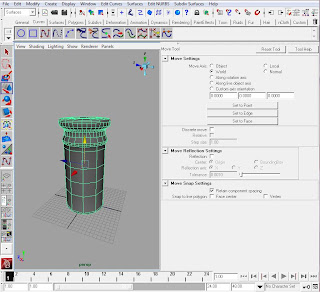
The mugrack/panrack was model using yet again the rovolve tool under surfaces and curves.
I began with the hook fixtures, outlining simple curves to the design & duplicating several to even out on the board.
The back board was modeled with a polygon cube and flatten in a shape of a 2x4 . After that stage i combined all the pieces to one, & imported it through the exsisting file.
The colours were very easyily addressed using simple texture colours taken from the program & mixed it using ramp shader.
The image(above) was to give an idea of how the rack would look in scene, and a couple of muggs
hung & moved into position just to compliment the finished result.

POST-IT...Here..!!!

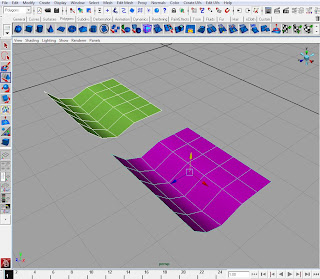
I'll keep the notes on modeling post-it very brief, as it was ever so easy to do. All it took was to create a polygon plane, selected the faces from a corner & slightly curved it, to achieve that natural paper image.
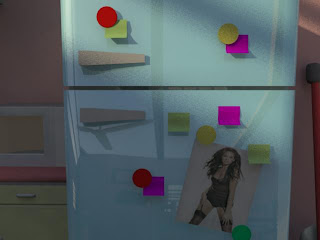
Next was to assign a lambert colour to each & finally import it to the exsisting scene.. The images above are showing where the post-its was incorporated in the kitchen....

Tuesday, 2 December 2008

BEFORE.... AFTER....

Just a screen capture showing how the colours & re-positioning of the furnitutures have improved.

Monday, 1 December 2008

Cleaning Up That HyperShade...!!!!


As the title states, I did clean & neaten up the hyper shade, deleting any unused lambert or unnesscessary shadings that isn't consistently used.

The aim in doing this is to organise the files, which makes finding layers and lamberts so much more easyer. Also reducing the file size results in opening the file ever so quick and effcient.